
Play together. Anywhere.
Krak Multiplayer brings your friends into your Minecraft Bedrock or Java world over the internet. They find it in Minecraft as a LAN world and join in one tap.
Open beta. Free to play. Version 0.9.7. How to install


Host in three steps
Open a world in Minecraft
Any Bedrock world with LAN play turned on, or a Java world opened to LAN on a PC. Krak Multiplayer finds it by itself.
Tap Host
Your world gets an invite code like KRK-7Q4M. Open it to everyone, only to friends or with a password.
Your friend taps Join
In their Minecraft your world shows up as a LAN world, as if you were on the same Wi-Fi: Bedrock lists it under Play, then Worlds, and Java under Multiplayer.


Nobody sees your IP
Game traffic goes through the Krak relay. Players see each other's ping, never an address, and nobody has to open ports on a router.
- Mobile data or Wi-Fi
- The relay reaches you on both. When a network blocks game traffic, Krak moves to a backup channel.
- Ping in plain sight
- The host sees every player's ping, so you know at once who lags.
Always somewhere to play
Open worlds and servers in one catalog, with filters by mode, version and ping, and ratings from players who were there.
- External servers
- Owners list their Java and Bedrock servers next to Krak worlds. Add one to Minecraft with a button, or play it through Krak.
- Friends and favourites
- See which world your friends are in right now, and keep the worlds you like at the top.

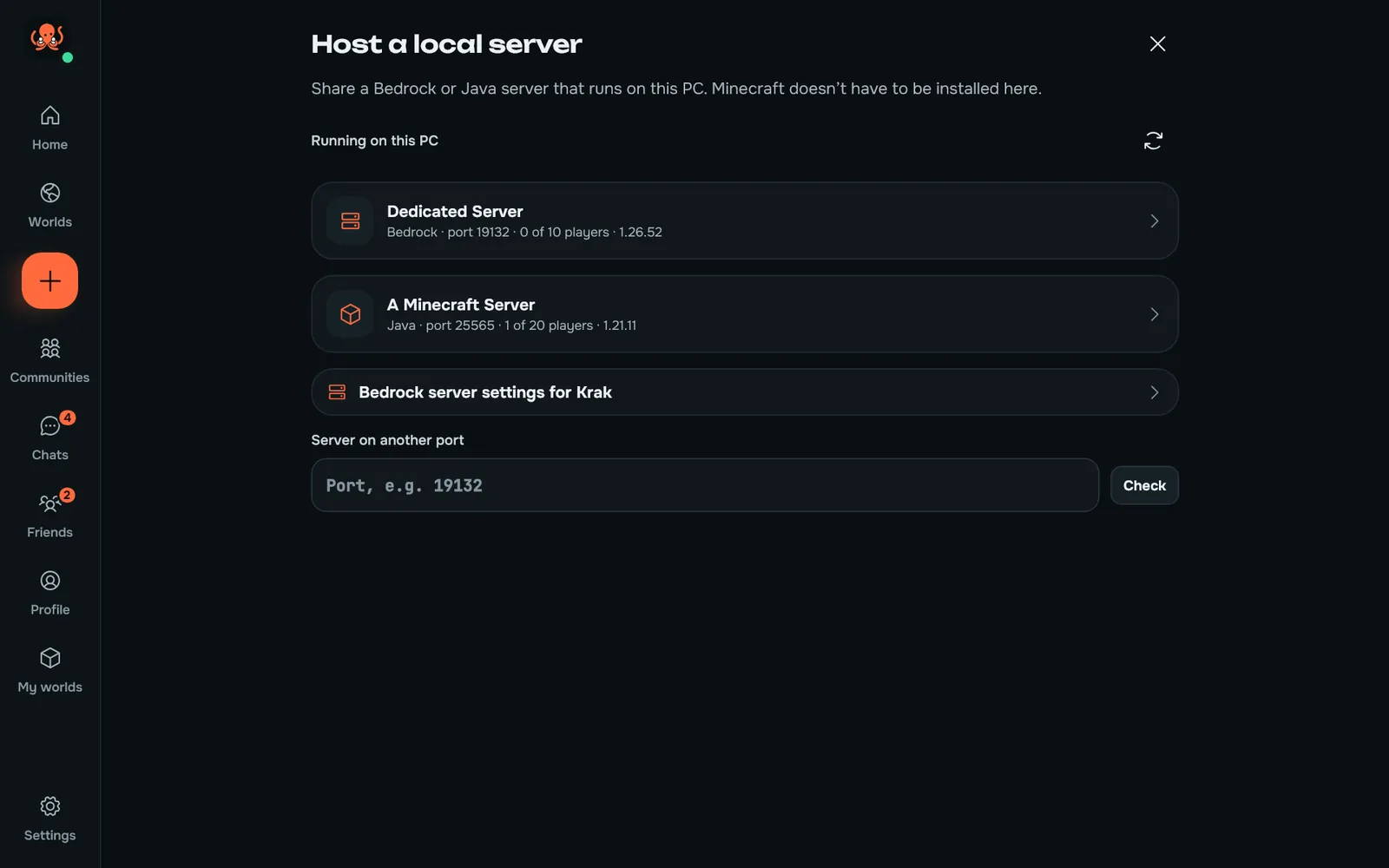
Share the server on your PC
Run Bedrock Dedicated Server or a Java server on Windows or Linux, and Krak shares it with friends like any world. Minecraft doesn't have to be installed on that PC.
Java Edition worlds and servers work on a PC too.
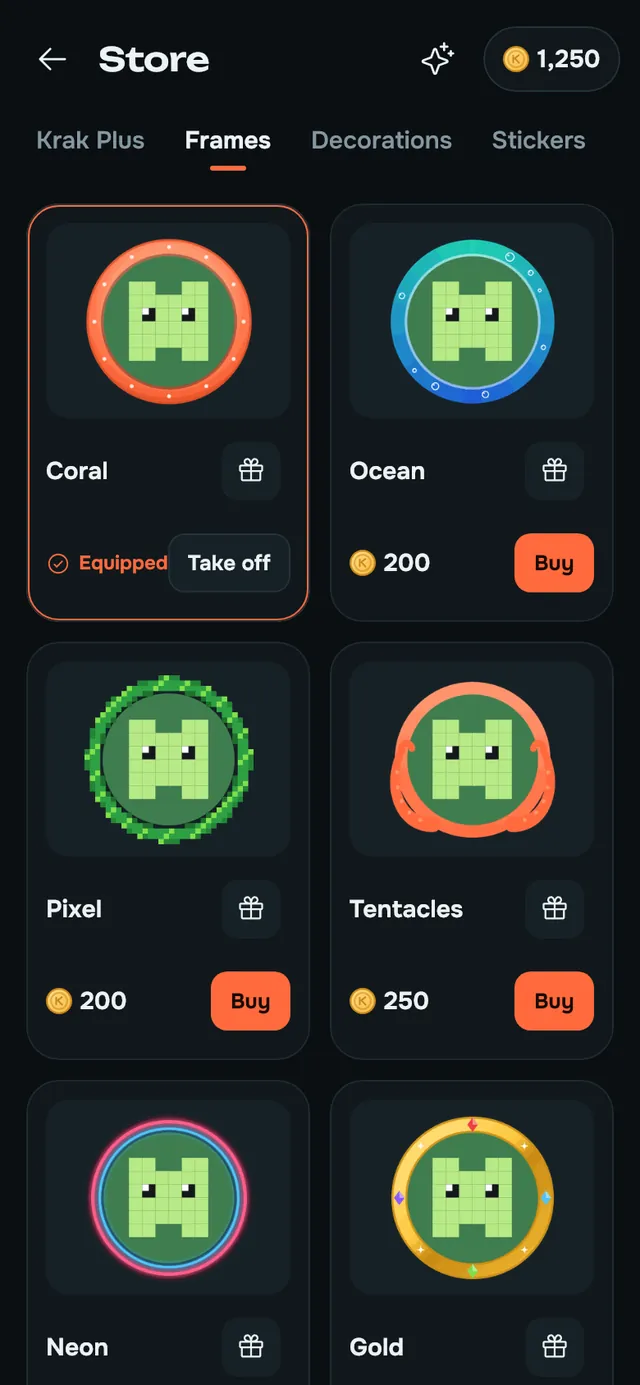
Make your profile yours
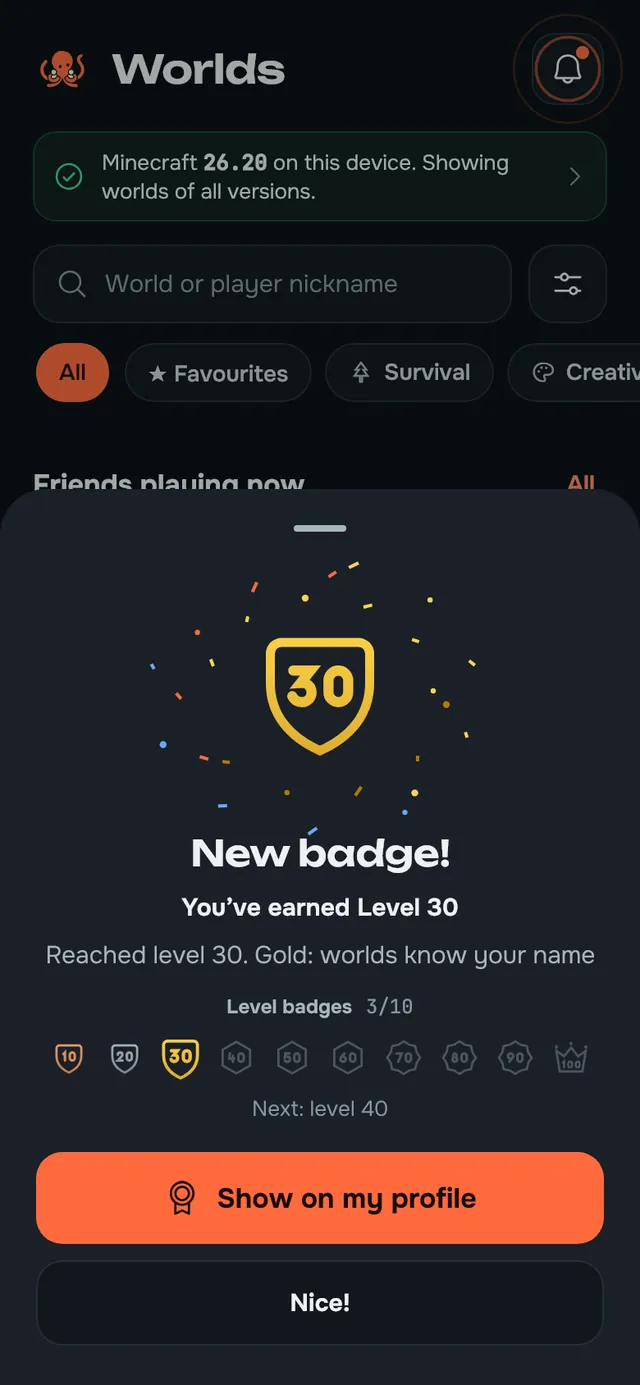
Avatar frames and decorations from the store, a banner, and badges you earn along the way.
Your level grows with every minute you play or host and every guest you let in. Every ten levels bring a badge.

Krak Plus
Optional extras for your profile and your worlds. Playing together stays free.
- Animated avatar and banner (GIF, WebP), also for your worlds
- A background for your profile
- A custom friend code
- A minimum player rating for your worlds: players who behaved badly elsewhere can't join
- Deleting your own chat messages without a trace
- No ads in the feed
Get it in the app's store with Krak coins.

Made for players 13 and up

- Your IP address stays hidden
- Game traffic goes through our relay, so other players never get your address.
- Chats are stored encrypted
- Messages, wall comments and reports are encrypted on our servers.
- You decide who reaches you
- Choose who can message you, write on your wall and see your friends, or go invisible.
- Hosts keep order
- Password, join requests, kick and ban, and with Plus a minimum player rating for your worlds.
- Moderators review reports
- Report a player, a message, a post or a world. Public pictures are checked before others see them, and world names with swearing or 18+ content are refused.
- 13 and up
- You need to be at least 13 to use Krak. Under 18, a parent or guardian agrees to the Terms with you. Community rules

See you in the world
Free on Android, Windows and Linux. You also need Minecraft: Bedrock Edition or Java Edition (Java on Windows and Linux).
- Download for AndroidAndroid 8 or newer
- Download for WindowsWindows 10 or 11, 64-bit
- Download for Linux64-bit Linux: AppImage, .deb, .rpm and more
- iPhone and iPad
- In the browser now, at krak-mp.cc/app. The App Store version is coming soon.
- Xbox, PlayStation, Switch
- Through Show on Wi-Fi from a phone or PC with Krak.
Open beta. Free to play. Version 0.9.7.
Questions
How do I play Minecraft with friends over the internet?
Install Krak Multiplayer on your Android phone or PC, open your world in Minecraft and tap Host. Your friends install Krak too and tap Join: the world shows up in their Minecraft as a LAN world. No port forwarding or server rental needed.
Do I need Minecraft?
Yes, your own Minecraft from the official store: Bedrock Edition on Android, Windows and Linux, or Java Edition on Windows and Linux. Everyone in a world needs the same game version.
Which devices does it run on?
Android 8 or newer, Windows 10 and 11 (64-bit) and 64-bit Linux. On Linux, Bedrock runs through BedrockOnLinux and Java Edition natively. On an iPhone or iPad, use Krak in Safari at krak-mp.cc/app; the App Store version is coming soon.
Is it free?
Yes. Hosting, joining, chats and communities are free. Krak Plus adds optional extras for your profile and worlds.
Can I play on Xbox, PlayStation or Switch?
Yes, with a phone or PC on the same Wi-Fi. Turn on Show on Wi-Fi in Krak, and the console finds the world in Minecraft under Play, then Worlds, marked LAN world. One console at a time, and keep Krak open while you play. External servers can also be joined by their address wherever your Minecraft lets you add a server.
Do I need a Microsoft account?
Minecraft asks you to sign in to a Microsoft account inside the game to play online. Krak Multiplayer never sees or stores that account.
Is it safe?
Krak Multiplayer only carries game traffic between you and the host through our server, so players never see each other's IP address. The host can set a password, approve join requests, kick and ban players.
Why can't my friend see my world?
Usually because of different game versions, or because Android stopped Krak Multiplayer in the background. The app has a step-by-step check and a backup way to join by server address.
What does open beta mean?
Anyone can download Krak and play. Some things can still break: Report a problem in the app tells us what happened, and fixes arrive as updates.
Join us on Discord
News, help in English, Ukrainian and Russian, and a place to tell us what to build next.
Your crew lives here